

Internet service order — demo view
Telecom Partner & Distributor Management Software in Saudi Arabia
From the first request… to activation and earned commission.
An integrated platform for managing consumer and business telecom sales. Track customers and orders, allocate SIMs and devices, and monitor activation, collection, and rep commissions from a clear screen built for every team.
The sale starts the order… operations is what completes it.
A rep may log the order today, operations may review its documents tomorrow, and activation may need follow-up with the service provider. Between these steps, you need to know where an order stopped, who owns it, and when it becomes eligible for commission.
Mazzalla Tech turns these details into a clear workflow: every order has a status, every status has an action, and every action is logged on the transaction.
Where did the order reach?
A current status and an action log.
What's missing?
Defined documents, notes, and tasks.
Who follows up?
A clear owner for each stage.
Has the commission been earned?
Calculation tied to eligibility conditions.
One order. Its full story, visible.
From registering the customer to following up the service after activation, an order's details stay in front of your team without searching across chats and files.
Register the order
Identify the customer, service type, package, sales source and responsible rep, and attach the required documents.
Status
New order
Owner
Sales rep
Next action
Send for review
Document
Order documents
Sample order
Different services… and each one has its own path.
Selling lines to individuals differs from provisioning a connection for a multi-branch enterprise. Tailor the data, documents, approvals, and follow-up to each service's nature.
Enterprise orders need more detail. Keep it clear.
Manage enterprise opportunities and orders from the first need to service activation, with contact data, branches, sites, quotes, and approvals in one record.
- Business mobile services (GSM).
- Data & internet services.
- Landlines.
- ICT & IT solutions.
- Small-office (SOHO) services.
- Out-sourced sales & operations paths.
- Link multiple orders or sites to a company account.
- Track quotes, documents, and contacts.
Add your services and packages, and set the provider, price list, and approval path for each.
Know which opportunity deserves follow-up today.
A CRM for telecom distributors organizes prospects, assigns them to the sales team, and turns each opportunity into clear follow-up steps through to quoting and order registration.
The lead source is clear
Know whether a customer came from a campaign, your site, a referral, or a rep, and track each source's outcome.
Organized opportunity routing
Assign customers by team, area, or service type, and set the owner responsible for outreach.
Follow-up with a date
Log calls and notes, and set the next task and its date instead of relying on memory.
Quotes tied to the opportunity
Prepare the right quote for the service, and track edits, discounts, and approvals before it's confirmed.
Loss reasons you can understand
Record why an opportunity didn't close, and review recurring patterns to improve qualification, quotes, and follow-up.
A rep sells and follows up… from a portal built for their work.
Give every rep a clear workspace for their customers, opportunities, and orders, with mobile access and data shown per their permissions.
- Add customers and register service orders.
- Upload required documents and attachments.
- Track the order from review to activation.
- See operations notes and close the gaps.
- Organize follow-ups and daily tasks.
- View targets, achievement, and approved commissions.
- Refer back to the communication and action log.
The supervisor sees their team's performance; the rep sees what they need to get the job done.
Rep portal
An order needs action
Required: complete an attachment
Owner: order rep
Commission calculated… and the reason it's earned is clear.
A sales commission program links each commission to the order, service, and beneficiary, and applies calculation and approval rules before payment.
Rules per service & package
Set the commission value or percentage, and its eligibility conditions per service, beneficiary, and approved policy.
More than one contributor
Split the commission between the rep, supervisor, or partner per the defined contribution shares.
Eligibility tied to the outcome
Tie earning the commission to activation, collection, or the conditions your company defines.
Targets & incentives
Track target versus achievement, and calculate bonuses and incentives per defined rules.
Review before payment
Separate calculated, earned, approved, and paid commission, with a log of approvals and changes.
Handling cancellations & settlements
Document the effect of a cancellation, return, or order change on the commission, and review the settlement before approving it.
| Order | Beneficiary | Activation status | Commission status | Action |
|---|---|---|---|---|
| TEL-1042 | Enterprise — demo | Awaiting activation | Under review | Track activation |
| TEL-1039 | Individual — demo | Active | Earned | Approve for payment |
| TEL-1031 | Enterprise — demo | Active | Approved for payment | Pay commission |
| TEL-1025 | Individual — demo | Cancelled | Settled | Review settlement |
Every SIM and router… its location and order are known.
Organize SIM, router, and device stock across warehouses and branches, and track each device's movement from receipt to allocation, delivery, or return.
- Define items, services, and devices.
- Track device serials and SIM identifiers.
- Allocate stock to approved orders.
- Transfer devices between warehouses and branches.
- Document delivery, return, and swap.
- Low-stock alerts.
- Purchase requests and vendor quote comparison.
- Purchase orders, receipt, and vendor invoices.
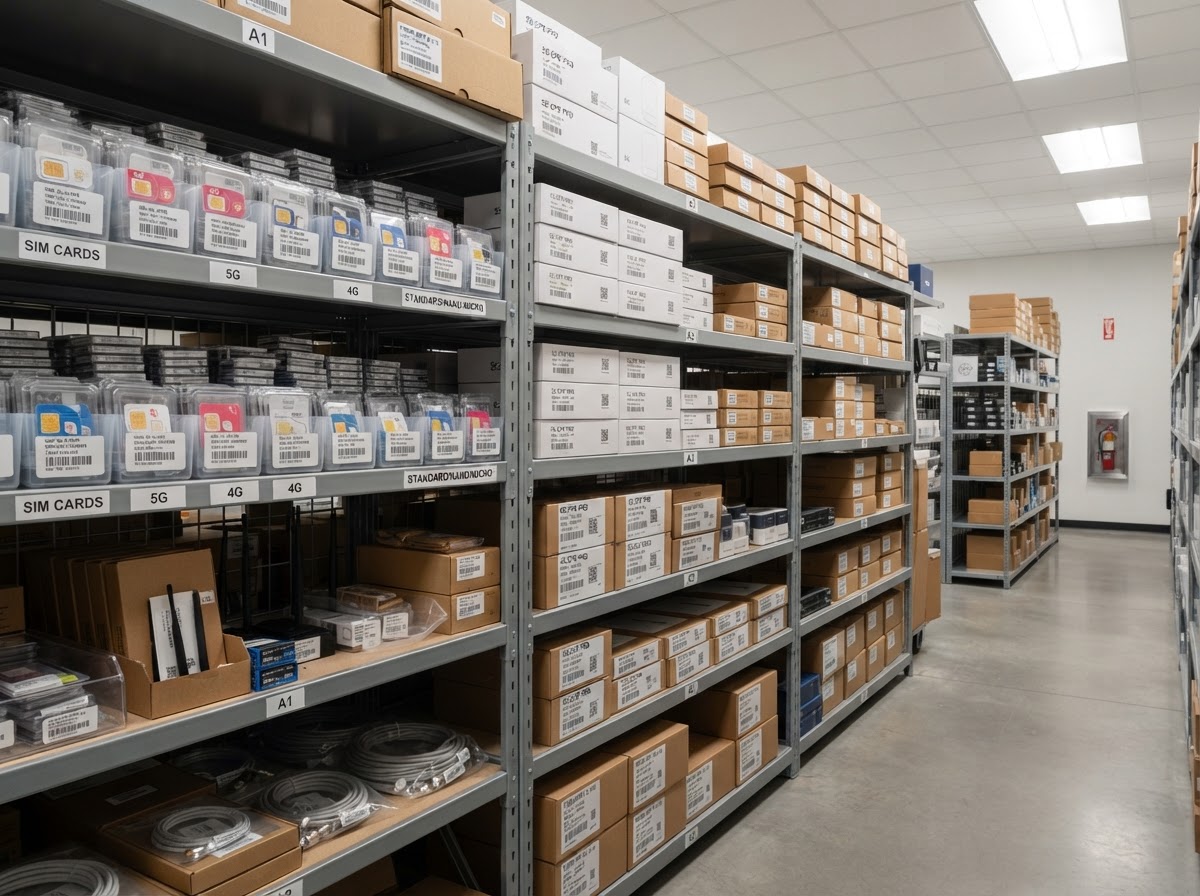
And point-of-sale is part of the operating cycle.
Manage branch sales from POS stations linked to the user and warehouse, with price lists, payment methods, invoices, returns, and reports per station.
| Device | Serial | Warehouse | Linked order | Delivery status |
|---|---|---|---|---|
| 5G router | SN-9F22A1 | Main branch | TEL-1042 | Allocated |
| 5G router | SN-9F22B7 | Jeddah branch | TEL-1039 | Delivered |
| GSM SIM | ICCID-8921…04 | Main branch | TEL-1031 | Delivered |
| ONT device | SN-44C0 | Dammam branch | — | In stock |
Separate sales, activation, and collection… and see your receivables clearly.
Monitor invoices, payments, and amounts due, and review settlements tied to services and commissions on documented data for every transaction.
- Chart of accounts & cost centers.
- Customer & vendor accounts.
- Sales & purchase invoices.
- Receipt & payment vouchers.
- Collection tracking & receivables aging.
- Bank settlements.
- Credit & debit notes.
- VAT, e-invoicing & ZATCA linkage.
- P&L, balance sheet & cash flow reports.
- Compare recorded receivables with incoming settlements and surface variances for review.
Define each service's financial treatment per your contracting model: direct sale, distribution commission, or additional services.
Financial dashboards help you read the picture faster.
Present revenue, collection, receivables, and financial indicators in Power BI dashboards, with in-system operational reports for sales, orders, activation, and inventory.
See accounting solutions
The service activated? Follow-up doesn't end here.
Keep a service log after activation, and track renewals, cancellation and swap requests, and support tickets from the same context.
Renewal on time
Set the renewal date, and prepare alerts and tasks before a service or contract expires.
A support ticket with an owner
Classify the ticket, set its priority, and route it to the right team with the service and order details.
Response-time tracking
Set service targets by case type, and watch delayed tickets and escalation.
Documented cancellation & swap
Record the request's reason, required approvals, and its effect on the device, receivables, and commission.
A complete service log
Review past correspondence, changes, and actions before taking the next step.
Every action follows its correct path.
Set up approval paths that fit your company; from reviewing the order and discount to device handover and approving settlement and commission.
Every status transition alerts the owner, with notes and approval history saved inside the transaction.
The order's data in its place… whatever its sources.
We connect the system to customer-intake channels, email, WhatsApp, the website and forms, and the operations and accounting systems and the order and activation data sources at the service providers — to reduce re-entry and clarify follow-up.
Customer channels
Order & activation data
Accounting & invoicing
Reports & management
Every manager sees the indicators they need.
- Opportunities by stage.
- Rep & team performance.
- Target vs. achievement.
- Lead-source results.
- Reasons for lost opportunities.
And as your team grows… management is ready.
Manage employee files, attendance, leave, shifts, payroll, advances, and bonuses, with self-service for staff and tracking for contracts, documents, and expiry alerts.
Built for companies that sell and operate telecom services.
Whether your focus is field sales, branches, or enterprise accounts, we shape the system around your services and how you operate them.
We start from how you work… and set the system up around it.
Understand the service cycle
We review service types, order stages, team responsibilities, and commission and settlement rules.
Prepare the operating paths
We configure data, permissions, approvals, price lists, reports, and integrations.
Test on real scenarios
We test a complete order, an incomplete one, a cancellation, and a commission settlement — to confirm the cycle is clear.
Train your team & launch
We train sales, operations, and finance on their tasks, and accompany launch with technical support and follow-up.
A clear plan, hands-on training, and technical support that help your team use the system with confidence.
Let us understand your company's needsQuestions about telecom distributor software
It is software that brings together customer management, sales, service orders, activation, devices, commissions, and collection, with permissions and reports suited to how telecom distributors work.
Let every order run correctly… from sale to commission.
Tell us how you sell your services and how you track activation and commissions. We'll prepare a proposal that shows the system shaped to your way of working.